
Gifts for Digital Artists: 9 Picks for iPad & Tablet Setups (2026)
Authored by Daniel Heuer
Writer on the PerfectGift team, delivering smiles daily.
Published August 3, 2026 | Updated September 16, 2026
Digital artists are easier to shop for than you'd think, as long as you know one thing: do they work on an iPad, or on a computer? That single answer points you to almost everything below. iPad artists want the pen, the app, and the little upgrades that make the screen feel like paper. Computer artists want a pen display or a standalone tablet to draw on directly. Here are picks across both setups and every price point, with a safe fallback at the end for when you're not sure which camp they're in.
Quick picks
- Best overall: the Huion Kamvas 13 (Gen 3) pen display, a real draw-on-screen tablet for around $209.
- Best under $20: Procreate for iPad, the illustration app nearly every iPad artist wants, a one-time $12.99.
- Best for an iPad artist: the Apple Pencil (USB-C), the pen that makes the whole setup work, about $79.
- Splurge (no computer needed): the XP-Pen Magic Drawing Pad, a standalone Android drawing tablet, about $450.
- When you don't know their setup: a PerfectGift they redeem their way, or one that starts as a store like Target.
For the iPad artist
If they draw on an iPad, these four upgrades cover the pen, the app, and the feel of the screen. Any one of them stands on its own, and together they build a complete setup.
1. Apple Pencil (USB-C) — about $79

The pen is what turns an iPad into a drawing tool, so it's the first thing to check they have. The Apple Pencil (USB-C) is the affordable model in the lineup, with pixel-perfect precision, tilt support, and low latency that makes sketching feel natural. At about $79 it's the entry point to the whole iPad art setup, and a safe gift for anyone whose iPad is compatible. (If they have a newer iPad Pro, the step-up Apple Pencil Pro adds pressure and a few extra tricks.)
Image courtesy of Apple.
2. Paperlike Screen Protector (2-pack) — $49.99
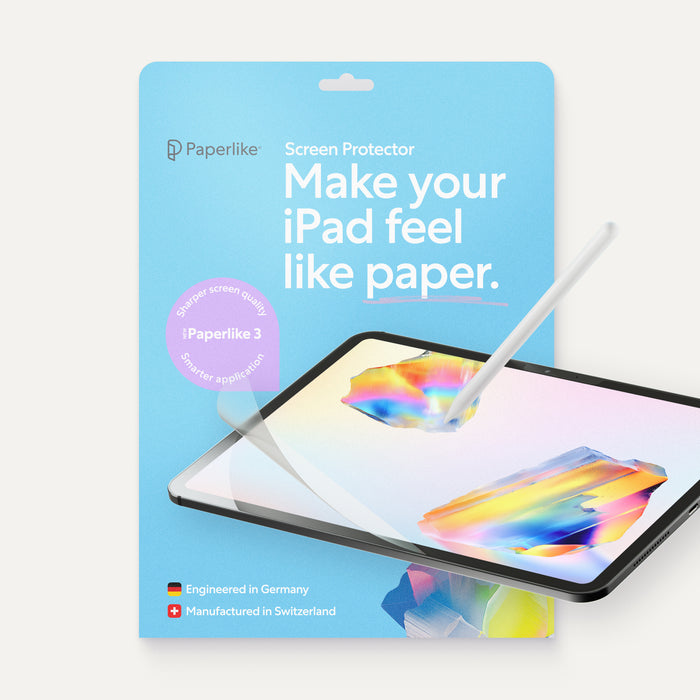
The upgrade iPad artists rave about once they try it. The Paperlike screen protector adds a subtle texture to the glass so the Apple Pencil has a little friction, and drawing feels like pen on paper instead of tip on slick glass. A two-pack runs $49.99, and it's a thoughtful upgrade an artist appreciates but rarely buys for themselves.
Image courtesy of Paperlike.
3. Procreate for iPad — $12.99
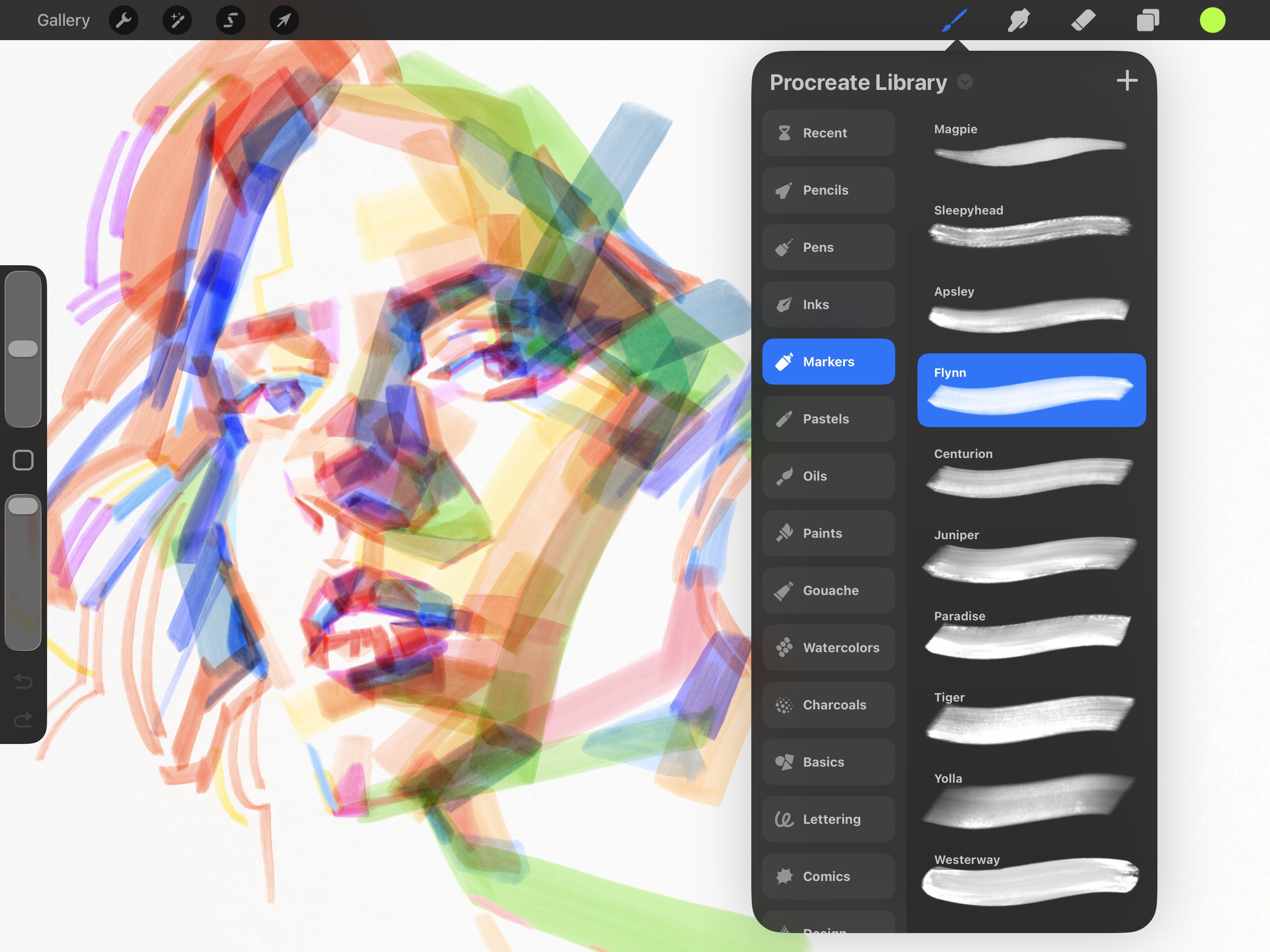
The app that made the iPad a serious art tool, and one of the best values in this whole guide. Procreate is a one-time $12.99 with no subscription, and it gives illustrators a full studio of brushes, layers, and animation tools. Nearly every iPad artist either owns it or wants it, and gifting it is as simple as an App Store card with a note about what it's for. (For animators, the companion app Procreate Dreams covers frame-by-frame animation.)
Image courtesy of Procreate.
4. Procreate Dreams — $12.99
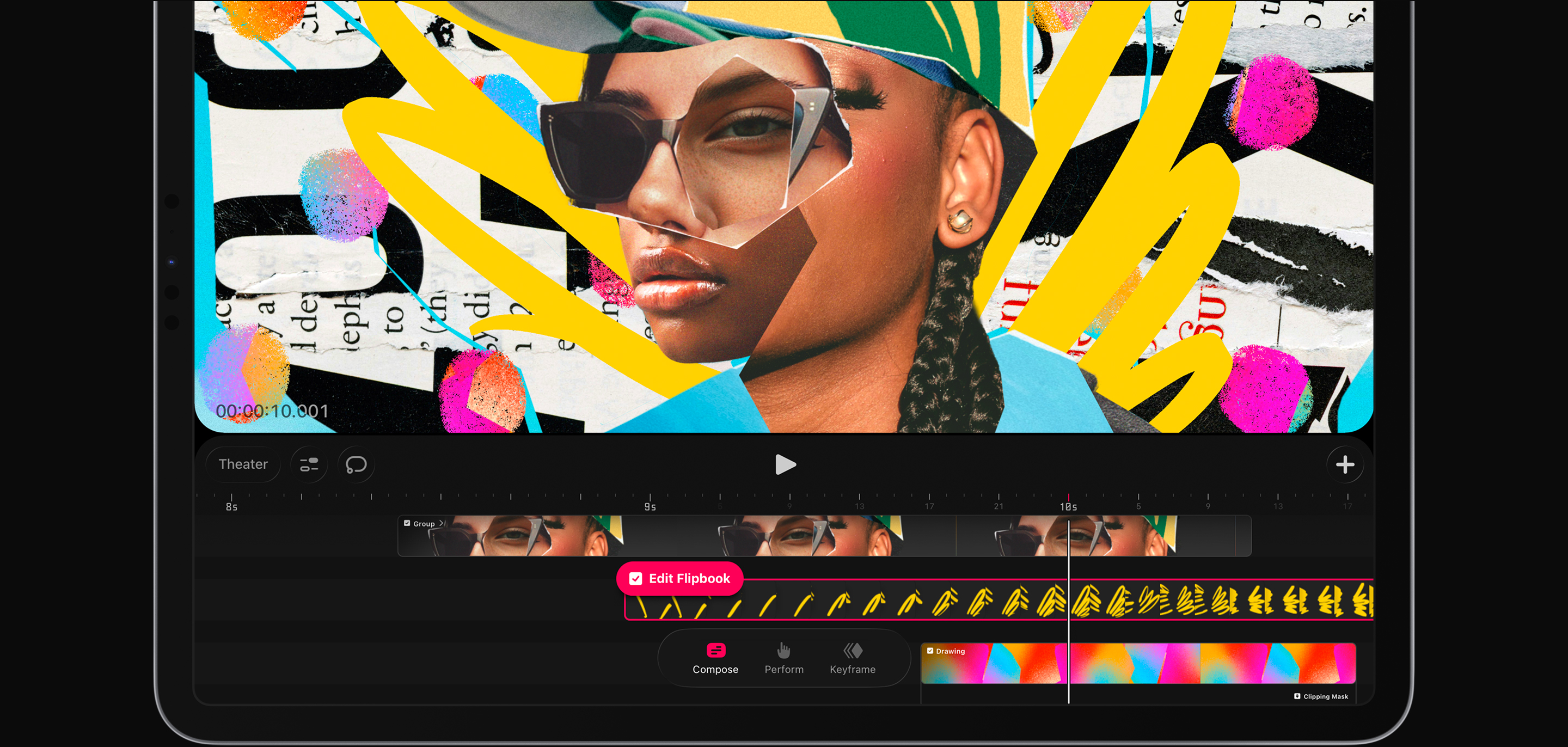
For the animator or the illustrator who wants to make things move. Procreate Dreams is the companion animation app from the makers of Procreate, built for frame-by-frame and timeline animation on the iPad, and it's a one-time $12.99 with no subscription. It's a natural add-on for someone who already loves Procreate and wants to try animation, and an easy pairing with the drawing app above.
Image courtesy of Procreate.
5. Paperlike Drawing Glove — $16.99
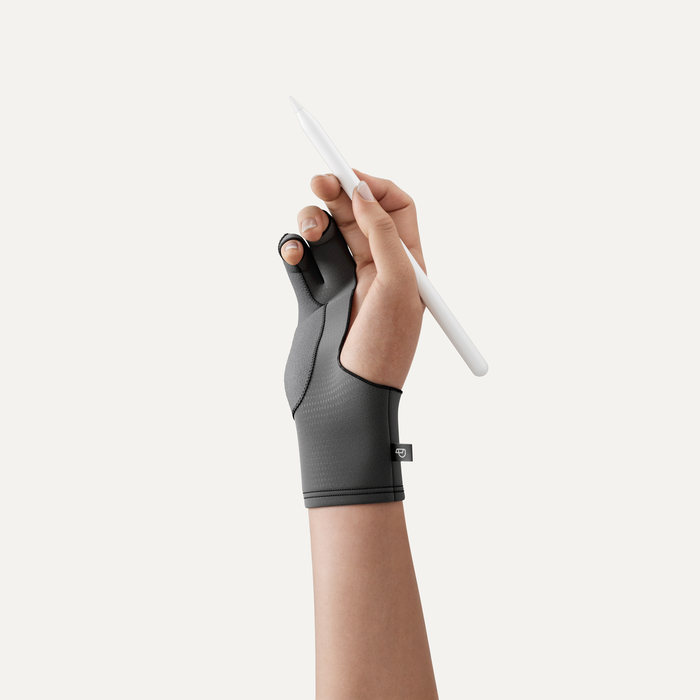
A small, smart add-on that solves a real annoyance. The Paperlike Drawing Glove has two covered fingers that keep an artist's hand gliding smoothly across the screen and stop stray palm touches from registering. At $16.99 it's an easy stocking-stuffer or a pairing with a bigger gift, and a nice touch for anyone who draws for hours at a time.
Image courtesy of Paperlike.
For the desktop or laptop artist
If they draw on a computer instead of an iPad, they need a tablet to draw on directly. These two cover the range from a first pen display to a do-anything standalone.
6. Wacom Intuos — from about $40

The safe first tablet from the brand digital artists trust most. The Wacom Intuos is a screenless pen tablet: it plugs into a Mac or PC, and the artist draws on its surface while watching the screen. The small model starts around $40, with a battery-free pressure-sensitive pen and bundled software, and a Bluetooth version runs about $80. For a beginner or a student stepping into digital art, this is the classic, affordable place to start.
Image courtesy of Wacom.
7. Huion Kamvas 13 (Gen 3) — around $209
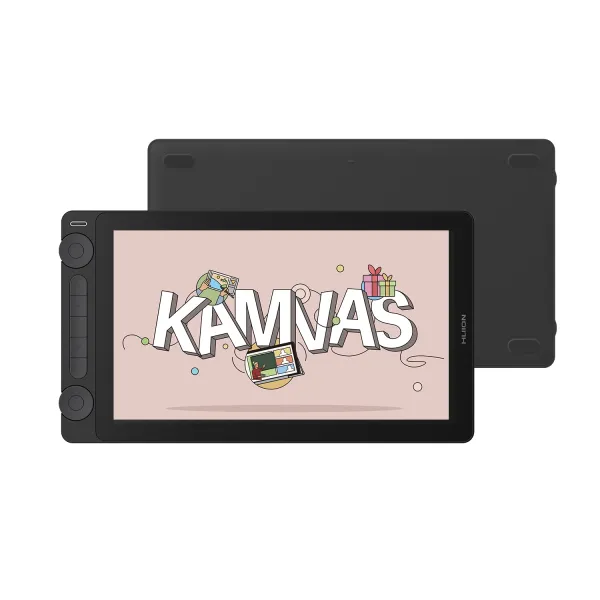
The best-value way to give someone a real draw-on-screen experience. The Huion Kamvas 13 (Gen 3) is a 13.3-inch pen display that connects to a Mac or PC so the artist draws directly on the screen, with a battery-free pen, tilt support, and a laminated, low-glare display. Around $209 (down from $249) with a 4.8-star rating, it's the sweet spot for a beginner or intermediate digital artist stepping up from a screenless tablet.
Image courtesy of Huion.
8. XP-Pen Magic Drawing Pad — about $450
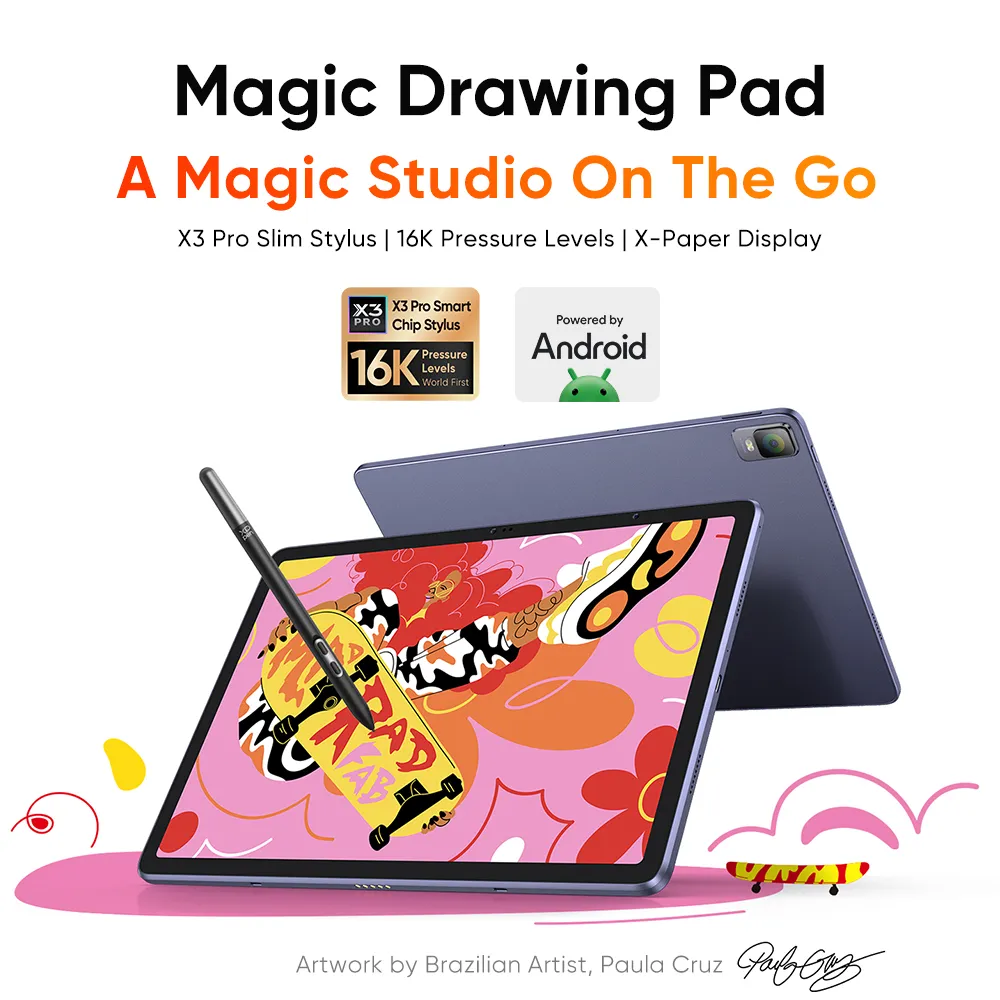
The splurge, and the pick for someone who wants to draw anywhere without a computer. The XP-Pen Magic Drawing Pad is a standalone Android drawing tablet with a 12.2-inch laminated screen and a battery-free stylus, so it works untethered like an iPad but is built specifically for art. At about $450 (down from $500) it's a serious gift for a dedicated digital artist or a designer who wants a portable second screen to sketch on.
Image courtesy of XP-Pen.
When you're not sure of their setup
9. A PerfectGift They Redeem Their Way (or one that starts as a store like Target)

The honest fallback from the top of this guide: iPad gear and computer gear don't mix, so if you don't know which setup they use, don't guess on a $200 tablet. A PerfectGift lets you add a photo and a note, and then they choose how to redeem it, whether that's keeping the brand you picked, swapping it, or moving the balance to a Visa card. Start it as a store like Target, which carries iPads, the Apple Pencil, and plenty of tablets, and they can put it toward the exact piece of their setup only they know they need.
Image courtesy of PerfectGift.
| Gift | About | Best for the artist who… |
|---|---|---|
| Apple Pencil (USB-C) | ~$79 | draws on an iPad and needs the pen |
| Paperlike Screen Protector | $49.99 | wants their iPad to feel like paper |
| Procreate for iPad | $12.99 | draws on an iPad (best under $20) |
| Procreate Dreams | $12.99 | wants to animate on an iPad |
| Paperlike Drawing Glove | $16.99 | draws for hours and wants a smoother hand |
| Wacom Intuos | from ~$40 | is a beginner (best budget) |
| Huion Kamvas 13 (Gen 3) | ~$209 | works on a computer (best overall) |
| XP-Pen Magic Drawing Pad | ~$450 | wants to draw anywhere, no computer (splurge) |
| PerfectGift (they redeem) | your choice | you don't know their setup |
How much should you spend on a gift for a digital artist?
Digital-art gifts split cleanly by setup. For an iPad artist, $13 to $80 covers the essentials: Procreate ($12.99), Procreate Dreams for animation ($12.99), a Paperlike screen protector ($49.99) or drawing glove ($16.99), and the Apple Pencil (about $79) as the centerpiece. For a computer artist, the gift is the tablet itself: a beginner Wacom Intuos pen tablet starts around $40, a draw-on-screen Huion Kamvas 13 runs about $209, and a standalone XP-Pen Magic Drawing Pad is around $450.
One thing worth knowing: iPad accessories and computer tablets don't cross over. An Apple Pencil is useless to someone drawing on a PC, and a pen display is useless to an iPad-only artist. If you're not sure which they use, spend on the small universal stuff (an App Store card for Procreate) or let them choose with a PerfectGift.
Frequently asked questions
What's the best gift for a digital artist? It depends on their setup. For a computer artist, a pen display like the Huion Kamvas 13 (around $209) lets them draw directly on screen, or a Wacom Intuos pen tablet (from about $40) is a great starter. For an iPad artist, the Apple Pencil (about $79) plus Procreate ($12.99) covers the essentials. If you don't know their setup, a store-specific PerfectGift is the safe move.
What do you get someone who draws on an iPad? Start with the Apple Pencil if they don't have one, then add the apps and upgrades: Procreate ($12.99), a Paperlike screen protector for a paper-like feel ($49.99), and a drawing glove ($16.99). Each works as a standalone gift.
What's a good gift for a digital artist under $50? Procreate ($12.99), Procreate Dreams ($12.99), a Paperlike Drawing Glove ($16.99), a Wacom Intuos starter tablet (from about $40), or a Paperlike screen protector ($49.99). All are easy standalone gifts or add-ons to something bigger.
Do I need to know what device they use? Yes, ideally. iPad gear (Apple Pencil, Procreate) and computer gear (pen tablets and displays) don't work interchangeably, so a quick check of whether they draw on an iPad or a computer saves you from buying the wrong thing. When in doubt, a PerfectGift lets them choose.
What's a good gift for a graphic designer or animator? A pen tablet or display like the Wacom Intuos or Huion Kamvas 13 works for illustration and design on a computer, and the standalone XP-Pen Magic Drawing Pad is great for sketching anywhere. Animators on an iPad will appreciate Procreate and its companion animation app, Procreate Dreams.
What's a nice splurge gift for a serious digital artist? A standalone drawing tablet like the XP-Pen Magic Drawing Pad (about $450) lets them work untethered from a computer. A quality pen display or a new iPad setup with the Apple Pencil is also a memorable, high-value gift.
